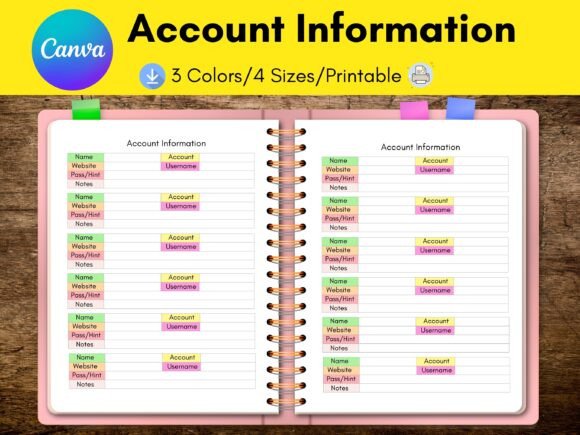
Password & Account Tracker: Streamline Your Digital Life
In a world where every click requires a login, keeping your digital keys organized is no longer a luxury—it’s a necessity. The Password and Account Information Tracker Canva KDP Template is designed to transform this chaos into clarity. This one-page solution isn't just a utility; it's a customizable design asset that blends modern typography with practical organization, perfect for anyone looking to secure their data while maintaining a polished brand identity.
For creative professionals—bloggers, finance coaches, and small business owners—this template serves as a bridge between security and style. Unlike standard spreadsheets, this editable tracker allows you to infuse your unique aesthetic. You can adjust color schemes, swap fonts, and integrate your logo, turning a mundane administrative task into a cohesive part of your brand management. It’s an ideal example of how functional design assets can support your broader brand identity without sacrificing visual appeal.
Tailored Design for Maximum Flexibility
One of the standout features of this package is its versatility. Recognizing that different projects require different formats, the package includes four separate PDF sizes to cater to specific needs. Whether you prefer the standard US Letter (8.5” x 11”), the international A4 (8.3” x 11.7”), the compact A5 (5.8” x 8.3”), or the popular Happy Planner Classic (7” x 9.25”), there is a layout ready for you. This adaptability ensures that the tracker fits perfectly into your existing planning system, whether digital or print.
The design flexibility extends to the editing process as well. Hosted on Canva.com, the source files are accessible to everyone, from design newcomers to seasoned pros. Even with a free Canva account, you have the freedom to:
- Adjust element sizes and placements to prioritize specific information.
- Swap the default typography for a premium font that matches your brand voice.
- Modify the layout to accommodate additional notes or categories.
For those seeking more extensive customizations, such as accessing a wider library of creative fonts or advanced design tools, Canva Pro offers even deeper functionality.
Practical Application and Workflow Integration
While the primary function of this template is security, its design quality makes it a valuable asset for content creators and e-commerce store owners. Imagine using this tracker as a digital product giveaway for your subscribers or a value-added insert for your Etsy or Shopify customers. By presenting administrative tools in a visually appealing format, you elevate the user experience and reinforce your reputation for professionalism.
When customizing your tracker, consider the principles of editorial design. Treat the page not just as a list, but as a layout. Use hierarchy to guide the eye—perhaps using a bold sans-serif font for headers and a clean, readable serif font for the body text. This attention to typography ensures the document is not only beautiful but highly functional, allowing you to locate information quickly when needed.
Choosing the Right Aesthetic
Selecting the right visual style for your tracker depends on your existing brand assets. If your brand identity leans towards luxury and elegance, consider using a sophisticated serif typeface paired with a muted color palette. For a more energetic, modern look, a geometric sans-serif font with bright accent colors might be more appropriate.
The goal is to create a design asset that feels like a natural extension of your business. By taking the time to customize this template, you turn a simple password list into a curated piece of your organizational toolkit. It’s a small detail that contributes to a larger sense of order and creativity, helping you manage your digital life with the same care you apply to your visual branding.